The Ultimate Guide to Sims 4 CC Clothing: Streetwear, Formal, Y2K & Every Style (2026)
The Ultimate Guide to Sims 4 CC Clothing: Streetwear, Formal, Y2K & Every Style (2026)
If you've spent more than ten minutes in Create-A-Sim, you already know the pain. You're trying to build your perfect Sim — maybe a trendy art school student, or a brooding Victorian heiress, or just a girl who wears cute oversized hoodies — and EA's base game wardrobe just... isn't cutting it. The same recycled textures, the same awkward silhouettes, the same five shades of muted beige. I've been there. Every Simmer has been there. And that's exactly how the rabbit hole of Sims 4 CC clothing starts.

Custom Content clothing has completely changed the way I play The Sims 4. My Sims actually look like people I'd want to follow on Pinterest. They wear outfits that match their stories, their personalities, their aesthetics. A single good CC haul can breathe new life into a save file that felt stale for months. In this guide, I'm going to walk you through everything — what CC clothing is, how to install it, which creators are putting out the best stuff in 2026, and how to keep your Mods folder from turning into total chaos.
Whether you're brand new to CC or you're a veteran Simmer looking to refresh your finds, there's something in here for you. Let's get into it.
1. What Is CC Clothing? (And Why EA's Wardrobe Isn't Enough)
CC clothing — short for Custom Content clothing — refers to any outfit, top, bottom, accessory, or shoe created by the Sims community and added to your game outside of official EA content. These files usually come in .package format, and once you drop them into your Mods folder, they show up right alongside EA's items in CAS (Create-A-Sim).

The Sims 4 technically has hundreds of clothing items spread across its base game and expansion packs. But here's the problem: most of it is painfully generic. EA designs clothing to appeal to the broadest possible audience, which means a lot of safe, middle-of-the-road stuff. You get polo shirts and sundresses and blazers. What you don't get is a perfectly cropped Y2K butterfly top, a hand-embroidered cottagecore blouse, or a street-ready puffer vest with realistic fabric folds.
Community creators fill that gap — and they've been doing it for years at an insane level of quality. Some CC creators are professional 3D artists. Some are hobbyists who just love the game and happen to be incredibly talented. Either way, the result is a wardrobe that feels genuinely alive, fashionable, and tailored to whatever story you're trying to tell in your game.
I'll be honest: once you go CC, you can't go back. My base game CAS feels like a clearance rack now. The good news is that the community is massive, the content is almost entirely free, and this guide is going to help you navigate all of it without losing your mind.
2. Alpha vs Maxis Match Clothing — The Eternal Debate
Just like with our CC hair guide, the first question you need to answer when exploring CC clothing is: Alpha or Maxis Match? This is one of the oldest debates in the Sims community, and your answer will shape your entire CC collection.

Maxis Match (MM)
Maxis Match CC is designed to blend seamlessly with EA's art style. It uses the same slightly cartoonish, soft-shaded look that the base game has — same skin of fabric, same lighting response, same general vibe. If you looked at a Maxis Match outfit next to an EA outfit, you'd struggle to tell which one came from a creator and which one came from the official game.
I personally lean Maxis Match for most of my saves. My game looks cohesive, my Sims fit into their worlds naturally, and nothing breaks my immersion. If you play with a lot of storytelling, neighborhood exploration, or rotational gameplay, Maxis Match is probably your best bet.
Alpha CC
Alpha CC takes a completely different approach. These creators use high-resolution textures, realistic fabric shading, detailed stitching, and sometimes even 3D mesh work that looks closer to a video game character from a AAA title than from The Sims. Alpha clothing looks stunning in CAS screenshots. The level of detail is genuinely jaw-dropping.
The trade-off? Alpha CC can look slightly out of place in the actual game world, especially if your environment and Sims themselves aren't also running Alpha-style overhauls. Alpha also tends to be more demanding on your system and can occasionally cause clipping issues. But if you're a screenshot artist or a Sims 4 story photographer, Alpha might be exactly what you're looking for.
Which Should You Choose?
Honestly? Most Simmers end up mixing both, but in separate saves or with careful curation. My advice is to pick one aesthetic and commit to it for a given save file. A fully Maxis Match save looks gorgeous and intentional. A fully Alpha save can look like a fashion lookbook. Mixing the two haphazardly is where things start to look visually inconsistent.
3. CC Clothing Styles Breakdown
One of the best things about the Sims 4 CC community is the sheer variety of styles available. Whatever aesthetic your Sim is rocking, there's a creator who's made exactly what you need. Here's a breakdown of the major style categories and what to look for in each one.

Streetwear & Y2K
This is probably the most-requested category in the CC community right now, and for good reason — the Y2K revival is still going strong in real fashion, and Simmers want their Sims to be on trend. We're talking low-rise jeans, butterfly clips, tiny graphic tees, cargo pants, chunky sneakers, rhinestone belts, and all those chaotic-but-perfect early 2000s silhouettes.
Streetwear CC covers a different aesthetic — think oversized hoodies with realistic drape, Jordan-inspired sneakers, layered fits, graphic tees with actual legible text, beanie-and-chain combos. The kind of outfits you'd see walking around Harajuku or in a Supreme lookbook.
Some of my favorite gameplay uses for Y2K/streetwear CC: building a Simstagram-famous teen household, running a fashion blog storyline, or creating a group of college roommates with completely distinct personal styles. These fits make those kinds of saves feel genuinely alive.
Formal & Elegant
EA's formal wear options are... fine. You get some blazers, a few gowns, some cocktail dresses. But if you're building a Sim who attends galas, works in corporate law, or lives in a penthouse in San Myshuno, you need something more elevated. CC formal wear ranges from sleek minimalist power suits to full ballgown drama with hand-painted embroidery details.
For weddings (especially since the My Wedding Stories pack still has its issues), CC bridal gowns are an absolute game changer. I've seen creators put out wedding dress CC that genuinely looks better than anything you'd find in an actual EA pack. Same goes for evening wear — the community has produced floor-length silk slip dresses, structured tuxedos, and ornate cultural wedding attire that EA has never come close to replicating.
Cottagecore & Vintage
The cottagecore moment hit the Sims community hard around 2021 and it never really left. Flowy prairie dresses, puff sleeves, linen aprons, hand-knit cardigans, and boots that look like they belong on a farm in the English countryside. This style pairs beautifully with packs like Cottage Living and Seasons.
Vintage CC expands further back — 1950s circle skirts, 1970s flare trousers, 1920s drop-waist dresses. If you love building historical households or doing decade challenges, vintage CC clothing is absolutely essential. Some creators specialize entirely in historically accurate period clothing, which is incredible for legacy players or story-focused gameplay.
Athleisure & Casual
Don't underestimate how important casual CC is. Your Sims spend most of their lives in everyday clothes, and having a solid library of realistic casual wear — fitted tees, joggers, denim jackets, casual sneakers, cozy knitwear — makes your game feel grounded and authentic.
Athleisure is a sub-category that's exploded in popularity: sports bras with real fabric texture, fitted leggings, gym shorts, running shoes that actually look like running shoes. If you play with active lifestyle Sims or use the Fitness Stuff pack regularly, good athleisure CC is worth having in your collection.
Fantasy & Period
This is where Sims 4 CC clothing really shows off what the community can do. Fantasy CC includes everything from ethereal fairy wings-and-dress combos to full medieval knight armor. Period clothing covers Victorian corsetry, Regency era gowns (hello, Bridgerton Sims), Renaissance faire fits, and even ancient Greco-Roman-inspired draping.
If you play with the Realm of Magic pack, or if you run a medieval save using Werewolves or Vampire packs for lore, fantasy and period CC is non-negotiable. EA's magical and fantasy clothing options are underwhelming at best. The CC community's? Stunning.
4. How to Install Clothing CC — Step by Step
Installing CC clothing is straightforward once you know the process. Here's exactly how to do it, whether you're on PC or Mac.
Step 1: Enable Custom Content in Your Game
Before anything else, make sure your game is set up to accept CC. Open The Sims 4, go to Game Options → Other, and check both "Enable Custom Content and Mods" and "Script Mods Allowed". Save your settings and restart the game.
Step 2: Find and Download Your CC
More on finding quality CC in the next section — but once you've found a piece you love, download the .package file. Some creators zip their files, so you may need to extract the archive first using a tool like WinRAR or 7-Zip on PC, or The Unarchiver on Mac.
Step 3: Place the File in Your Mods Folder
Your Mods folder lives here:
- PC: Documents → Electronic Arts → The Sims 4 → Mods
- Mac: Documents → Electronic Arts → The Sims 4 → Mods
Drop your .package files directly into the Mods folder. You can use subfolders (like Mods/Clothing/Y2K) to organize everything — the game reads up to 5 subfolder levels deep, so build whatever folder structure makes sense to you. I personally sort by creator name, which makes troubleshooting way easier down the line.
Step 4: Launch the Game and Check CAS
Restart your game completely. When you load into CAS, your new CC clothing should appear alongside EA's items. If you don't see it, double-check that the .package file isn't buried deeper than 5 subfolder levels and that you've enabled CC in your settings.
Step 5: Clear Your Cache (If Needed)
If CC isn't showing up or you're seeing weird graphical glitches, clearing your cache often fixes it. Navigate to your Sims 4 folder (same location as above) and delete the localthumbcache.package file. Don't worry — the game regenerates this automatically on next launch.
5. Best CC Clothing Creators in 2026
The Sims CC community has hundreds of talented creators, but a few names consistently stand above the rest for quality, variety, and reliability. Here are the creators I always check first when I'm doing a CC haul.
Sentate
Sentate is one of the most respected names in the entire Sims CC space, and for good reason. Their clothing CC sits in a beautiful middle ground — realistic enough to look stunning in screenshots, cohesive enough to blend with EA's art style. Sentate specializes in feminine fashion with incredible attention to fabric texture and silhouette. If you want clothes that look like they belong in an editorial shoot, Sentate is your first stop. Their pieces consistently appear in "best CC finds of the year" lists across Tumblr and the r/Sims4 community.
Trillyke
Trillyke pumps out prolific amounts of Maxis Match clothing that covers basically every category imaginable. From casual everyday tops to elegant evening wear, the quality is remarkably consistent. What I love about Trillyke is the color palette curation — swatches are always thoughtfully chosen, usually covering a wide range of tones that work across different Sim skintones. If you want reliable, good-looking MM clothing that won't break your game, Trillyke's catalog is a goldmine.
Greenllamas
Greenllamas (also known as GLLC) brings a distinctly modern, fashion-forward sensibility to CC clothing. Their pieces tend to lean into current real-world fashion trends — you'll find streetwear-influenced pieces, trendy casual sets, and Y2K-adjacent styles done with real style knowledge. Greenllamas also tends to include a wide variety of skin tone swatches, which is something I really appreciate and which more creators should prioritize.
Camuflaje
Camuflaje is the creator you go to when you want CC clothing that genuinely looks like it came from a designer lookbook. Their aesthetic is polished, sometimes a little editorial, and almost always stunning. Camuflaje has a real eye for the kind of pieces that photograph beautifully in CAS and hold up during actual gameplay. Their formal and smart-casual pieces are some of the best in the entire community.
Jius-Sims
Jius-Sims tends to specialize in delicate, feminine aesthetics with a strong cottagecore and romantic vintage lean. If you're building an aesthetic Sim who wears flowy dresses and fairy-esque layers, Jius-Sims is a creator you need to bookmark immediately. The attention to detail on lace trims, fabric layers, and soft color palettes is remarkable. Their pieces always feel intentional and art-directed rather than just thrown together.
Beyond these five, also keep an eye on creators like Sifix, Madlen, Gorilla x, and Rimings — each brings something distinct to the table and all maintain high quality standards.
6. How to Find Quality CC Clothing — Safe Sources and What to Avoid
Finding CC clothing can feel overwhelming at first. The Sims community is enormous and content is scattered across dozens of platforms. Here's where to look — and what to stay away from.
Best Sources for CC Clothing
- The Sims Resource (TSR): The oldest and most established CC hub. Massive library, mostly reputable creators, though some items are paywalled (creators can charge for early access, with free release after a period). Search with care — quality varies widely.
- Patreon: Many top-tier creators post their best work on Patreon first. Some offer free tiers. If you love a creator's work, supporting them financially directly is always a good move.
- Tumblr: Still the heart of the Maxis Match CC community. Search tags like #ts4cc, #sims4cc, or specific style tags. Most creators post their work here with direct download links.
- Curseforge (Overwolf): A growing CC hub with solid moderation and creator verification. Good for finding newer creators and for browser-based CC management.
- Creator personal websites: Many established creators (including several mentioned above) run their own sites. These are always the most reliable source for their work.
What to Avoid
- Random file-sharing sites: If a link takes you to an ad-spam site or an unfamiliar file host that asks you to download an installer, close the tab immediately. Legitimate CC is always a direct .package or .zip file download.
- CC that requires a script mod to function: Clothing shouldn't require script mods. If someone tells you to install a script alongside their clothing CC, that's a red flag.
- Re-uploads without creator credit: If someone is sharing another creator's CC on a third-party site without linking back to the original creator, the files are likely outdated, potentially modified, and unethical to download. Always try to download from the original source.
- Mega packs from unknown sources: "1000 CC clothing items in one zip!" from an unknown source is almost always either stolen content, outdated files, or worse. Be cautious.
A good rule of thumb: if a creator has an active presence on Tumblr, TSR, or their own site with regular posts and community engagement, they're almost certainly legitimate. Do a quick search before downloading anything new.
7. Common CC Clothing Issues & How to Fix Them
Even experienced Simmers run into CC problems. Here are the most common ones and exactly how to deal with them.
Missing Thumbnails in CAS
You'll see a white box or a blank square instead of a preview image for your CC item. This almost always means your localthumbcache.package file needs to be cleared. Navigate to your Sims 4 folder, delete that file, and relaunch the game. The cache regenerates automatically and your thumbnails should reappear.
CC Clothing Showing Up in Wrong Category
Sometimes a creator assigns their item to an unexpected category — a dress showing up under "everyday" when you want it in "formal," or tops appearing under "accessories." Unfortunately, this is a creator-side decision baked into the file. The fix is to use a tool like Sims 4 Studio to open the .package file and change the category assignment yourself. It's easier than it sounds — Sims 4 Studio has a user-friendly interface and takes about two minutes once you know where to click.
Outfit Conflicts and Broken Meshes
If a clothing item shows up as a weird stretched blob or a magenta/pink shape in CAS, the mesh is conflicting with something else in your Mods folder, or the item requires a mesh pack that you haven't installed. Many creators share meshes with other creators — always check the creator's download page for any listed requirements before assuming it's a conflict.
CC Not Showing Up At All
Check these in order: Is CC enabled in your game settings? Is the .package file outside of a subfolder deeper than 5 levels? Is the file actually a .package and not still zipped? Did you fully restart the game after placing the file? Run through this checklist and 95% of missing CC issues resolve themselves.
Game Crashes After Adding CC
When a new CC addition causes crashes, use the 50/50 method: move half your Mods folder contents out, launch the game. If it's stable, the problematic file is in the half you removed. Move half of that back in, test again. Repeat until you isolate the culprit. It's tedious but it works every time. Alternatively, a tool like Sims 4 Tray Importer can help flag corrupted or conflicting files automatically.
Clothing Disappearing After a Game Update
EA's updates occasionally break CC compatibility. This is a known and unavoidable part of playing with mods. The fix is to wait for creators to push updated versions of their files, which usually happens within a few days to a couple weeks after a major patch. Follow your favorite creators on Tumblr or Patreon to stay notified of updates.
8. Frequently Asked Questions About Sims 4 CC Clothing
Is CC clothing free?
The vast majority of Sims 4 CC clothing is completely free. Some creators use an "early access" model where Patreon supporters get items before they're publicly released, but the free release always comes eventually. Creators who permanently lock their CC behind a paywall are generally frowned upon by the community. Be cautious of any site asking you to pay for CC items outright — that's almost always either stolen content being resold or a scam.
Will CC clothing slow down my game?
CC can impact load times and CAS performance, especially if you have thousands of items in your Mods folder. The game itself, once you're out of CAS, runs pretty much normally. If you notice load times getting unreasonably long, it might be worth auditing your collection and removing items you never actually use. I do a Mods folder clean-out every six months or so — it's genuinely refreshing.
Can I use CC clothing in The Sims 4 on console?
No. CC is a PC and Mac exclusive feature. Console versions of The Sims 4 (PlayStation and Xbox) don't support custom content of any kind. This is one of the biggest advantages of playing on PC — the CC ecosystem is enormous and completely changes the game.
Does CC clothing work with all Sims 4 packs?
Generally yes, though some creators specifically design their clothing to complement certain packs. A cottagecore dress will look especially good in a Cottage Living save, for instance. CC clothing doesn't usually require you to own specific packs to use — it's standalone content. The exception would be CC that's built as an add-on or recolor of a pack-specific mesh, in which case you'd need that pack.
How much CC is too much?
This is a very personal question that depends entirely on your system specs. Some players run 20GB+ of CC without issues. Others start noticing performance problems above 5GB. A good practice is to keep your collection curated — only keep items you actually use. I personally do a rule where if I haven't put a clothing item on a Sim in three save files, it gets removed from my folder. Harsh, but effective.
What's the difference between CC clothing and mods that add new clothing slots?
CC clothing is purely cosmetic — it adds items to your existing clothing categories. Mods like More Columns in CAS or clothing slot mods change how CAS functions or expand what Sims can wear in certain situations (like layering items designed for different slots). Both can coexist in your game, and many veteran Simmers use both. If you're just starting out, focus on CC clothing first before getting into gameplay-changing mods.
Final Thoughts
Sims 4 CC clothing is one of those things that completely redefines the game once you start exploring it. What starts as downloading one cute top you saw on Tumblr somehow becomes a meticulously organized 8GB Mods folder with items sorted by creator and aesthetic — and I say that with full self-awareness and zero regrets. The community talent is genuinely extraordinary. These creators put out work that rivals professional fashion design, and most of them do it out of pure love for the game.

Start small, stay organized from the beginning, and always download from reputable sources. Stick to creators who are actively updating their work and engaging with the community. And if you haven't already, check out our CC hair guide to match your outfits with equally stunning hairstyles — because nothing kills a great CC clothing find like EA's default hair sitting on top of it.
Happy Simming, and may your Mods folder always load without errors.
Dive Deeper
Explore specific topics from this guide:

Best Sims 4 Vampire CC: Fangs, Clothing & Dark Aesthetics (2026)
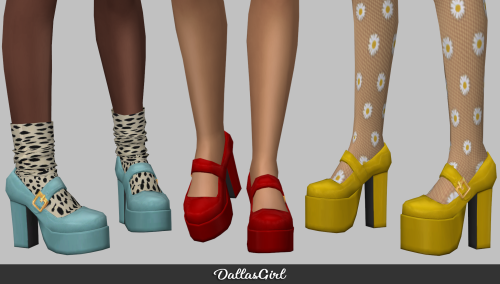
Best Sims 4 CC Clothing Creators You Need to Know

Sims 4 CC Clothing Not Working? Common Fixes

How to Build a Cottagecore Wardrobe in Sims 4 with CC

Sims 4 CC Wedding Dresses and Formal Wear Guide
Best Sims 4 Streetwear CC for Y2K and Urban Looks (2026)
Top clothing Mods on The Plumbob Post
![[RONA] Escapist Outfit Set](https://64.media.tumblr.com/1800784419184471e59fdfd9baec1764/559f76f1d2cd4968-1b/s500x750/99006402dc221927d5ee496ae2bfbadead23e5ad.png)
[RONA] Escapist Outfit Set
Mar 31, 2026
![[RONA] Night Outfit Set](https://64.media.tumblr.com/602378701f783fe4af030886733fbf6c/cb2ffc99fe99ae2b-3f/s500x750/a0b9694aaa1acff6bfeff31672d5247b43de1ac1.png)
[RONA] Night Outfit Set
Mar 31, 2026
![[RONA] Junk Love Outfit Set](https://64.media.tumblr.com/0b556c9c6fbae154f7be8111544a3014/6d3fd9d8a2bf46b1-3f/s500x750/0cda984a28c508ae6388cb98a500debb6748e0bc.png)
[RONA] Junk Love Outfit Set
Mar 31, 2026
![[RONA] HYPER SPEED Outfit Set](https://64.media.tumblr.com/48bd193345532bf6f401c9810377d03c/15d922d0ef932097-41/s500x750/35fc58ce726dafab4eff4b5d0d259deb0bd0b30e.png)
[RONA] HYPER SPEED Outfit Set
Mar 31, 2026
![[RONA] Black Sleeveless Set](https://64.media.tumblr.com/94d7133609f05edc0a354400b4d65131/6b7efc3aa47bdaa8-20/s500x750/089123663ffe3466f2bf425e2a50e031a9172d92.png)
[RONA] Black Sleeveless Set
Mar 31, 2026
![[RONA]](https://64.media.tumblr.com/556775017ab5b395f2cf773d065a8c96/d902e893b905f212-74/s500x750/bcb9ec6d52a79a21fbdc0798aabe5cee9a0fa431.png)
[RONA]
Mar 31, 2026
![[RONA] Miniskirt Outfit Set](https://64.media.tumblr.com/9f922cddf126e070f7be9a6b3531b9b6/45f435c801c39121-47/s500x750/5c1d11c0fd0be82ed91cee4b62506ac6a4aa3e9c.png)
[RONA] Miniskirt Outfit Set
Mar 31, 2026
![[RONA] Fallen Angel Outfit Set](https://64.media.tumblr.com/f2ecab227a81468579872cbeac05dbbe/1ebd9822d66256cc-cc/s500x750/f4a1525d4b5f266a374ba9b12847f369f3eb249d.png)
[RONA] Fallen Angel Outfit Set
Mar 31, 2026
![[RONA] BAPE Star Glasses](https://64.media.tumblr.com/a588e0f7815cdc20dacfb0aed91a5be1/b97b76545c753c8c-e1/s500x750/fda94ca41b50ef1207b0e6fb37ae4468901dfb06.png)
[RONA] BAPE Star Glasses
Mar 31, 2026
![[RONA] Bad Dream Outfit Set](https://64.media.tumblr.com/87d7bc777d04013240ab613d32ec4d0e/9fefdc521de822ff-46/s500x750/6f2241ca64a8200cd80a1bad0529c9d8f48e0bcf.png)
[RONA] Bad Dream Outfit Set
Mar 31, 2026
![[RONA] EX Outfit Set](https://64.media.tumblr.com/7506622a1f24c1ec26334ccc0a2f05dc/69642d66ba3c4697-10/s500x750/073af21c6db48d935c72c6e6acb778b4257dfdce.png)
[RONA] EX Outfit Set
Mar 31, 2026
![[RONA] Tone Down Outfit Set](https://64.media.tumblr.com/de791144a07d7542c152312f079ad601/690f54f368c322a2-a4/s500x750/989beaaea5a674e9f03045a5952c76bfa1eaf789.png)
[RONA] Tone Down Outfit Set
Mar 31, 2026
Other Guides You'll Love
The Ultimate Guide to Sims 4 CC Hair: Alpha, Maxis Match & Everything You Need (2026)
Everything you need to know about Sims 4 CC hair in 2026 — from Alpha vs Maxis Match differences to the best creators, how to install it without breaking your game, and how to find quality hairstyles that actually look stunning on your Sims.
The Ultimate Guide to Sims 4 Gameplay Mods: MCCC, Slice of Life & Every Essential Mod (2026)
The complete guide to Sims 4 gameplay mods in 2026 — from MCCC to Slice of Life, how to install script mods safely, best creators, and how to keep everything working after patches.
The Ultimate Guide to Sims 4 CC Makeup: Skin Overlays, Eyelashes, Lipstick & Every Detail (2026)
Everything you need to know about Sims 4 CC makeup in 2026 — from skin overlays to 3D eyelashes, the best creators, how to install, and how to make your Sims look flawless.
The Ultimate Guide to Sims 4 CC Furniture: Modern, Vintage, Minimalist & Every Style (2026)
Everything you need to know about Sims 4 CC furniture in 2026 — from modern minimalist to cottagecore rustic, the best creators, installation tips, and where to find stunning custom furniture for your builds.